‹ Blog · October 13, 2026
Floors, agents and terminals: three core ideas
How a project maps to a floor, a job to an agent and an agent to a terminal: roles, team templates, the live terminal, the task report and plan limits.
Agent X has three core ideas: the floor, the agent and the terminal. The shortest way to understand the app is to tell these three apart. This post explains what each one is, how they connect and where they are limited.
The app interface is currently in Turkish, so screen names are given in English with the Turkish label in parentheses where it helps.
Floor = project
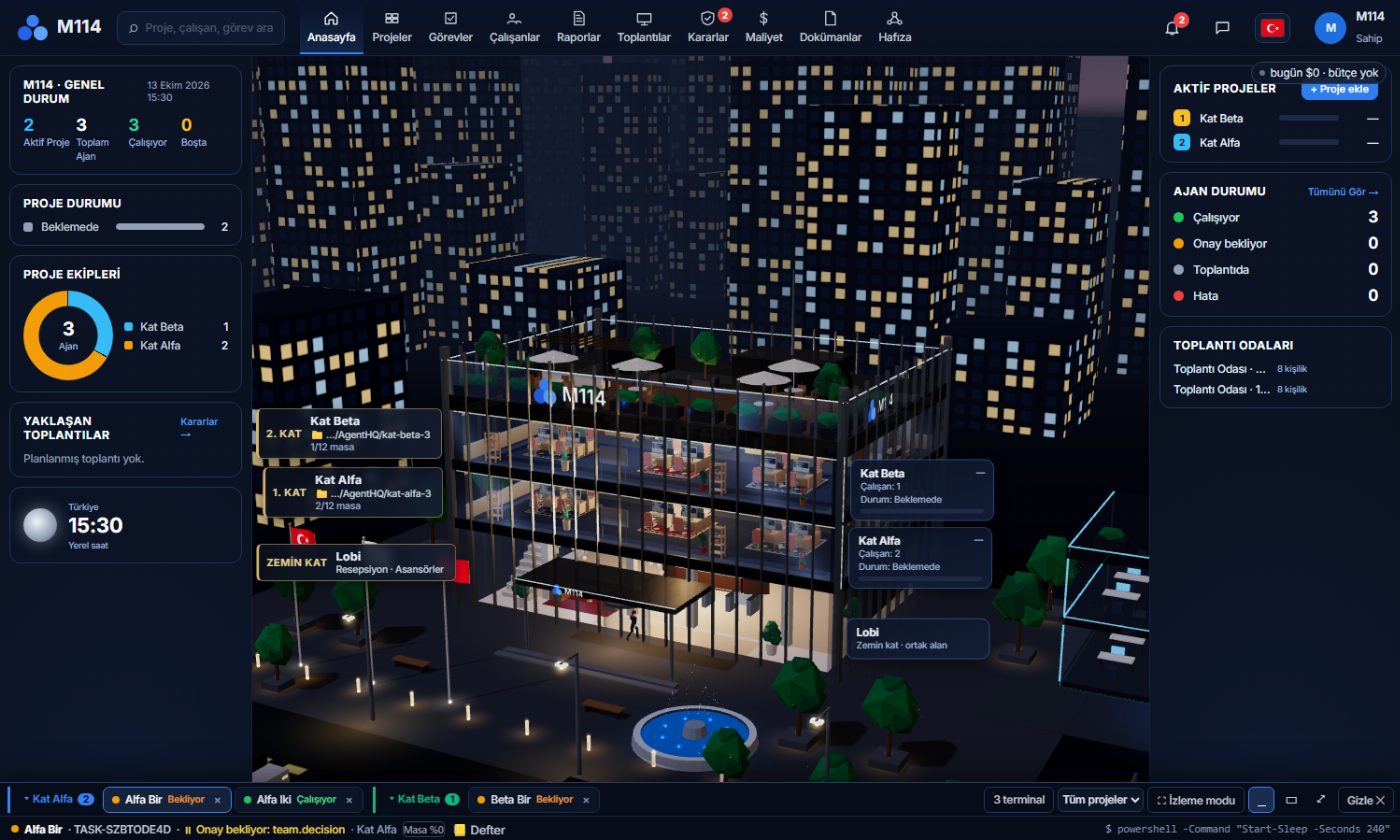
Each project is one floor of the office building. A floor has 12 desks; when you add an agent, it takes a desk. The floor panel shows how many desks are taken, the team and the button for adding agents. In the building view the floors stand on top of each other, so you can watch several projects on one screen.
Agent = a worker with a role
An agent has a role and an engine. The engine is Claude or Codex (connecting your account). The role decides what kind of work the agent does. The role list on the "Add agent" screen includes roles such as these:
- Team Lead: splits the work, hands it to the agents and reports to you.
- Backend and Frontend developer: write the code.
- UI/UX designer: designs the interface.
- QA / Test: runs real click tests and keeps the bug log.
- YouTube Manager and Trendyol Manager: prepare a summary every morning and write reply drafts (YouTube and Trendyol agents).
- Studio Creative: runs image and video generation (Studio).
Instead of adding agents one by one you can also pick a ready-made team template; for example there is an "E-commerce (Trendyol)" template that sets up a lead and one Trendyol agent. When you give a task, the agent shows at its desk while it works; its status (working, waiting for approval, in a meeting, error) is counted separately on the office screen. An agent can hand a job to another agent; the lead does this most.
Terminal = the agent's real workplace
When you open an agent's terminal you can type commands to it, ask for its status and watch the live output. Whatever the agent is doing, you see it in the terminal: commands, output, progress. This is not a black-box chat; it is the team's shared workspace.
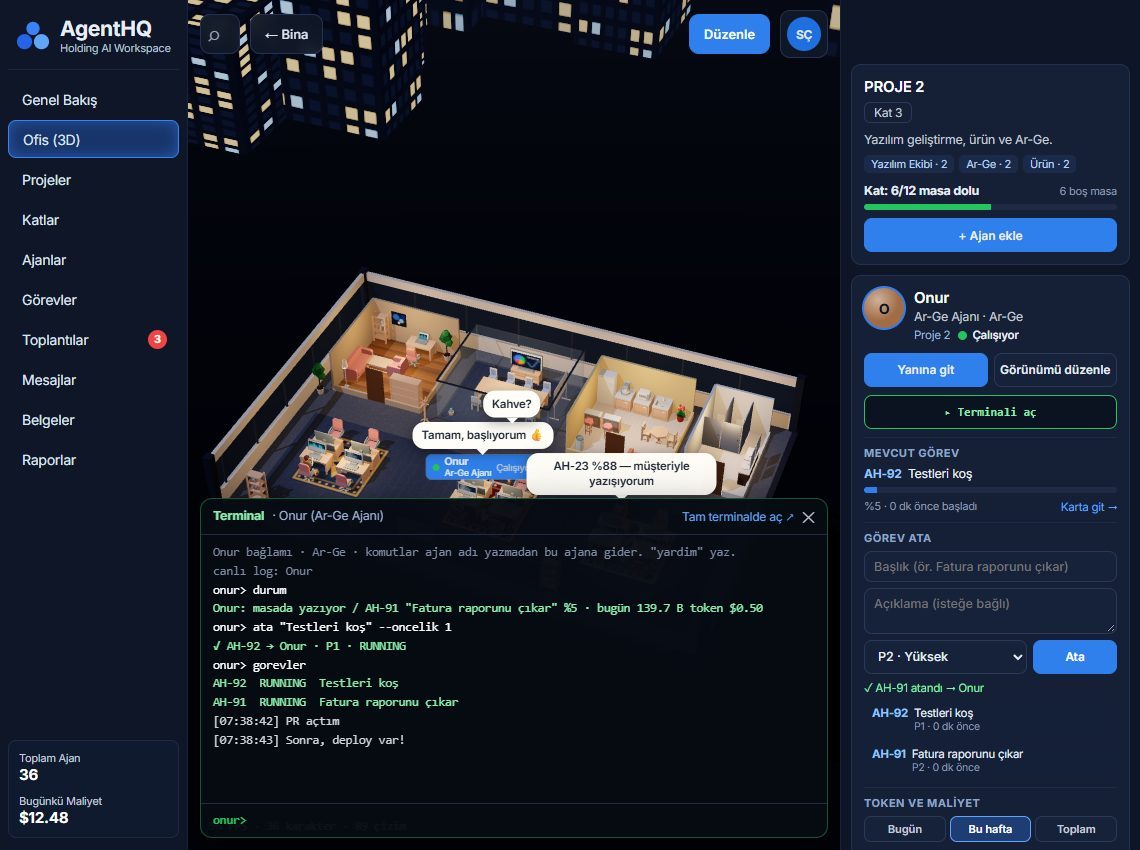
In this example the agent was asked what it was doing by typing durum (status), given a new task with ata (assign) and shown the list with gorevler (tasks).
How the three flow together
- You open a floor for a project.
- You add agents to the floor: the lead and the roles you need take their desks.
- You give the work to the lead (or directly to an agent); the agent starts working in its terminal.
- If the agent wants to take a step that leaves your computer, an approval card lands on the Decisions screen (Kararlar); you answer "Yes" or "No".
- When the work is done, the agent leaves a report.
You can find the whole flow with an example in How the agent team works.
When a task ends: the report
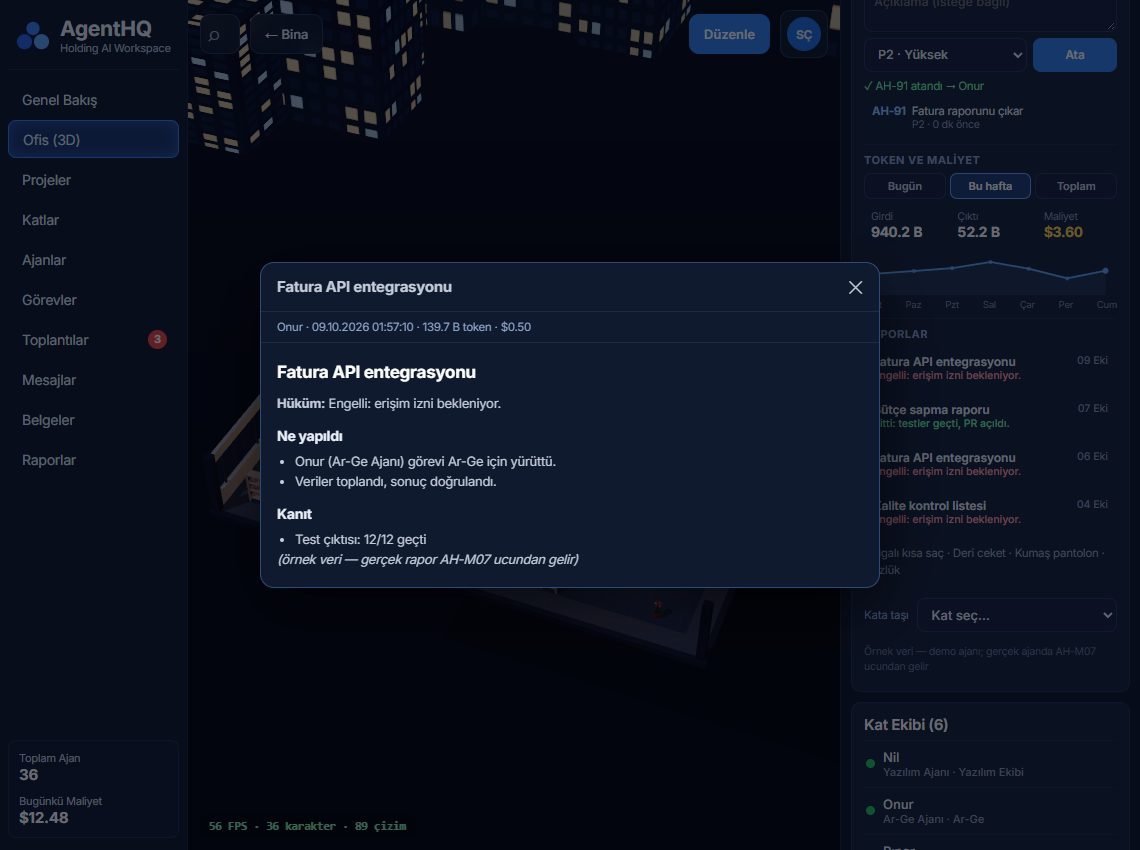
Each task leaves a result report: the verdict, what was done and the evidence; risks are written into the report too. You can open the report from the office screen and read it, and find it again later on the Reports screen (Raporlar). The report shows the evidence where an agent saying "done" is not enough.
Memory, scheduling and cost
- Memory: agents keep what they learn about a project, so you do not have to explain the same thing again next time.
- Scheduling: recurring jobs (such as a summary every morning at 09:00) are set up on the scheduling screen, can be switched off or run immediately.
- Cost: how many tokens each agent spent is shown on the Cost screen (Maliyet).
Terminal count and plan limits
The number of terminals you can open at the same time depends on your plan: Lite 3, Pro 5, Max unlimited. This number limits how many agents can work in a terminal at once. How many computers you can use also changes with the plan: Lite 1, Pro 2, Max unlimited. For details see Plans and license.
Small tips
- For a small job a single agent is enough; building a team means extra coordination and extra tokens.
- If a project has many agents, use the lead: it hands out the parts and one report comes back to you.
- If you did not understand something in a terminal, type
durumto the agent; it will explain what it is doing.
Next step
If you have not installed the app yet, follow the three steps in Setup and first sign-in. For the general idea of the app there is What is Agent X?.